DuoTyping for Windows 1.7.0
Profiles and drafts on all your devices, and a demo of each feature.
Signing out now clears DuoTyping from this PC, after asking. What's in your account comes back when you sign in again.
New
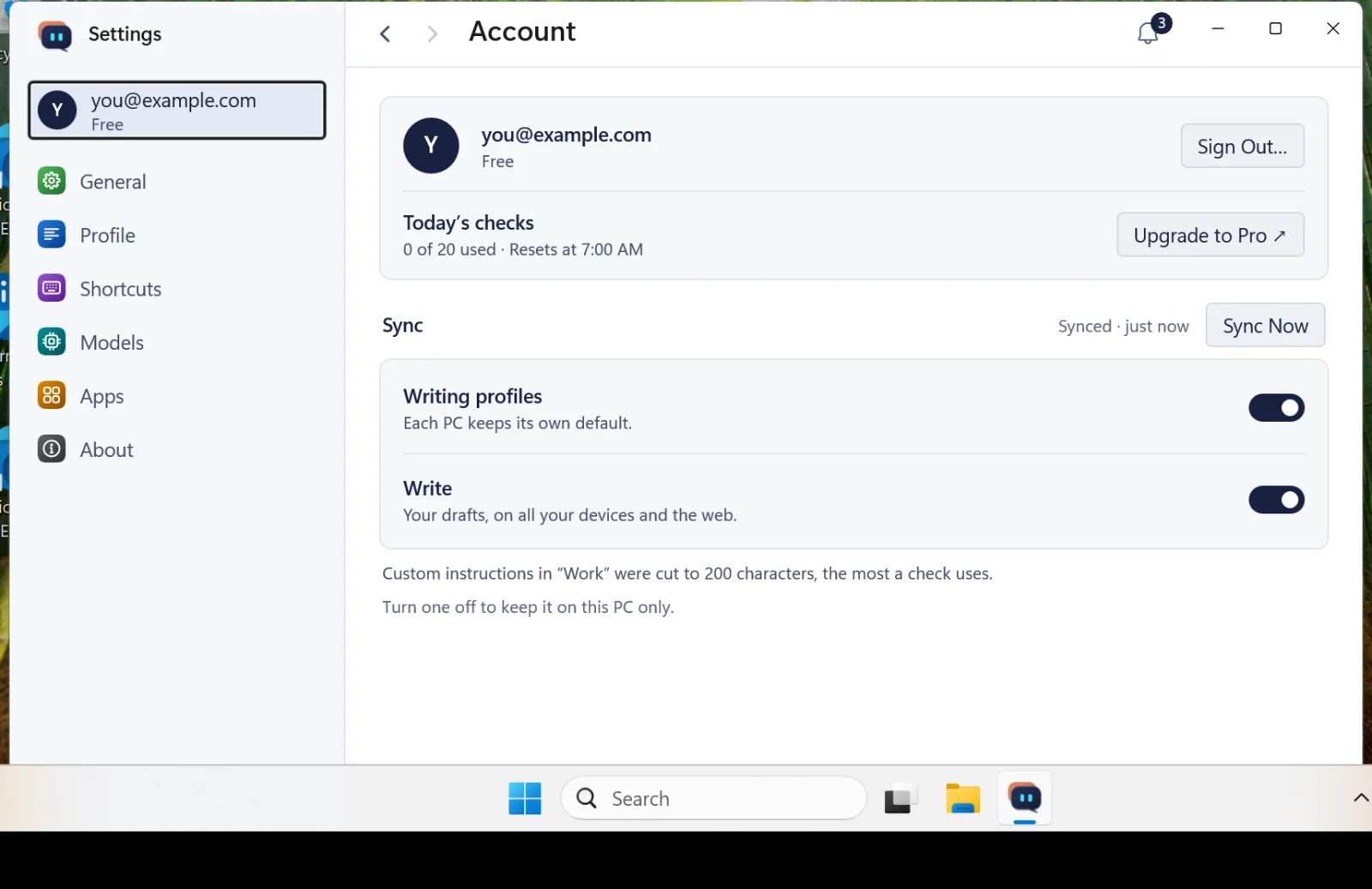
Signed in, your writing profiles and drafts sync across your devices and with Write on the web, each with its own switch in Settings › Account.
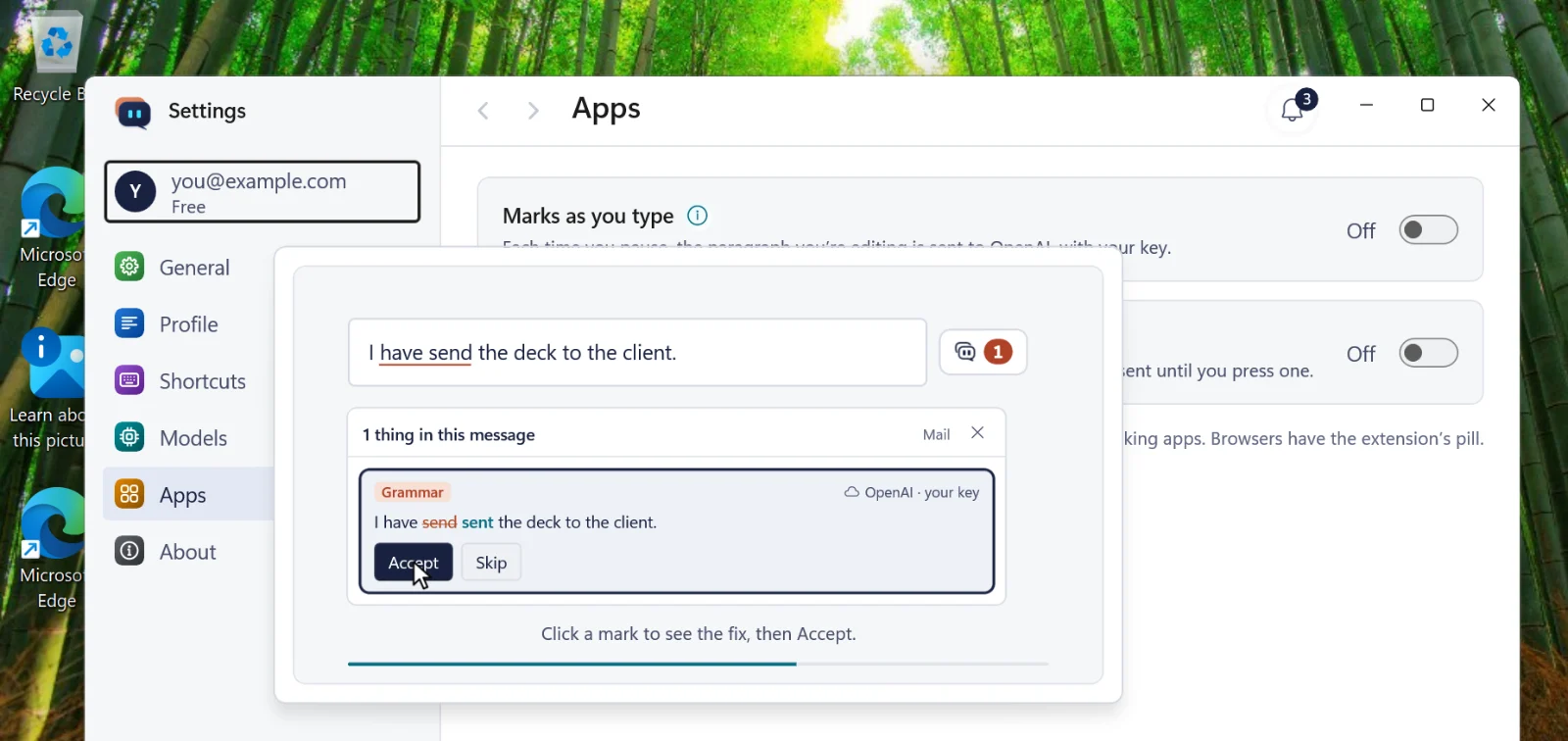
An ⓘ after a feature's name in Settings plays a short demo of it: marks as you type, the pill on selected text, Check, Translate and Pronounce.
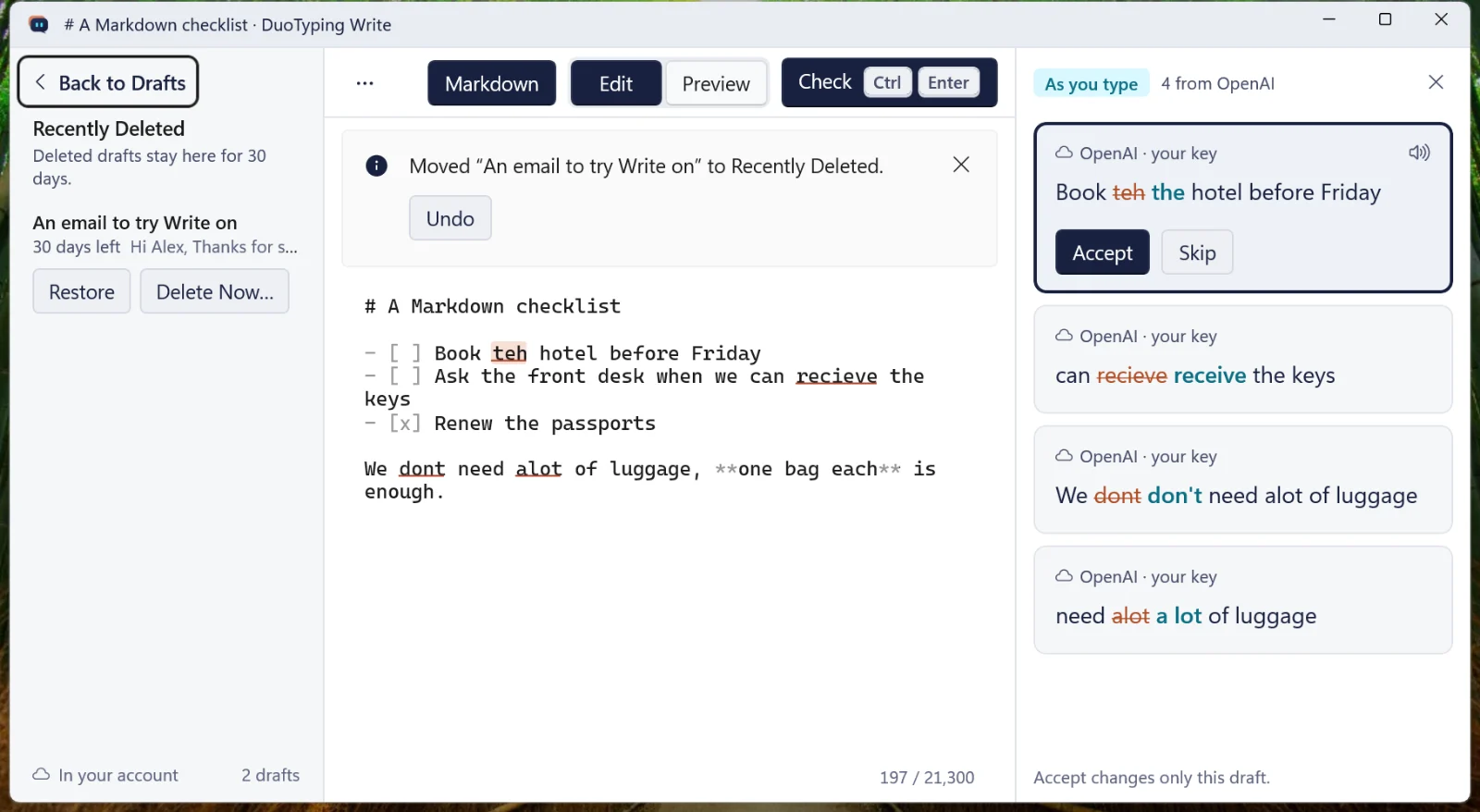
Delete a draft in Write with Undo, and get it back from Recently Deleted for 30 days. A draft changed in two places asks which copy to keep.
Fixed
From this version on, DuoTyping opens again after the Store updates it.
Get it: the Microsoft Store updates DuoTyping by itself. To update now, choose Check for Updates in the tray or in Settings › About.